Project 02 · Developer tool
Capturing a polished interface should not require rebuilding it in a design tool.
DOMShot turns a live DOM element into a clean, styled PNG. The same capture tools are available through a Chrome extension, preview editor, CLI, and MCP server.
 DOMShot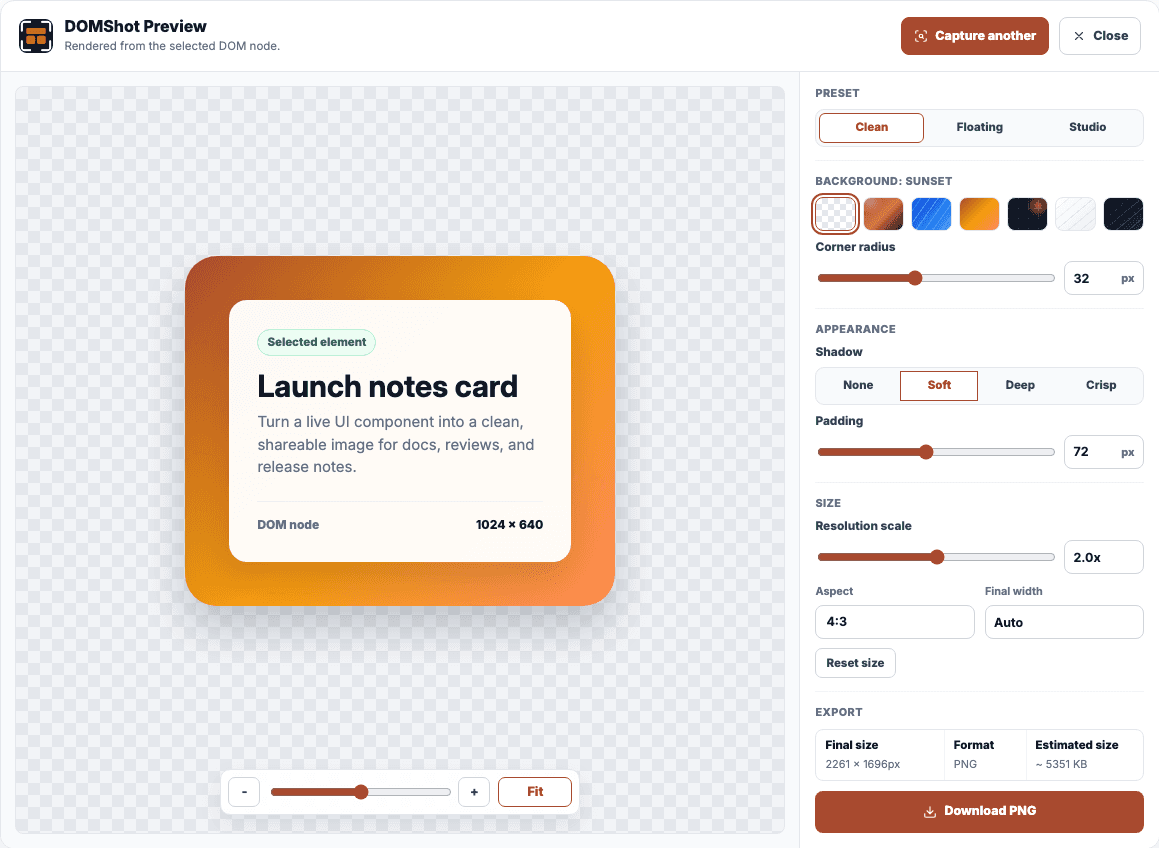
The editor lets the user adjust the background, spacing, radius, shadow, scale, and output size around the selected element.
01 / Starting point
A screenshot often creates more work than it should.
A useful UI component may already exist in the browser, but turning it into a clean image often means opening developer tools, cropping a screenshot, rebuilding spacing, adding a background, and checking the export again.
DOMShot uses the browser’s rendering instead. It captures the selected element and opens an editor for the final background, spacing, shadow, and size.
The rule I followSelect the real element. See the final composition. Export once.
02 / How it works
Select, adjust, and export.
Browser
Select an element
The extension overlays the current page and makes the capture boundary visible.
Capture
Render the node
DOMShot isolates the selected content and preserves the browser-rendered appearance.
Editor
Compose the image
Presets and focused controls shape the background, padding, shadow, radius, and scale.
Output
Export the PNG
The preview becomes a local image at the chosen size and composition.
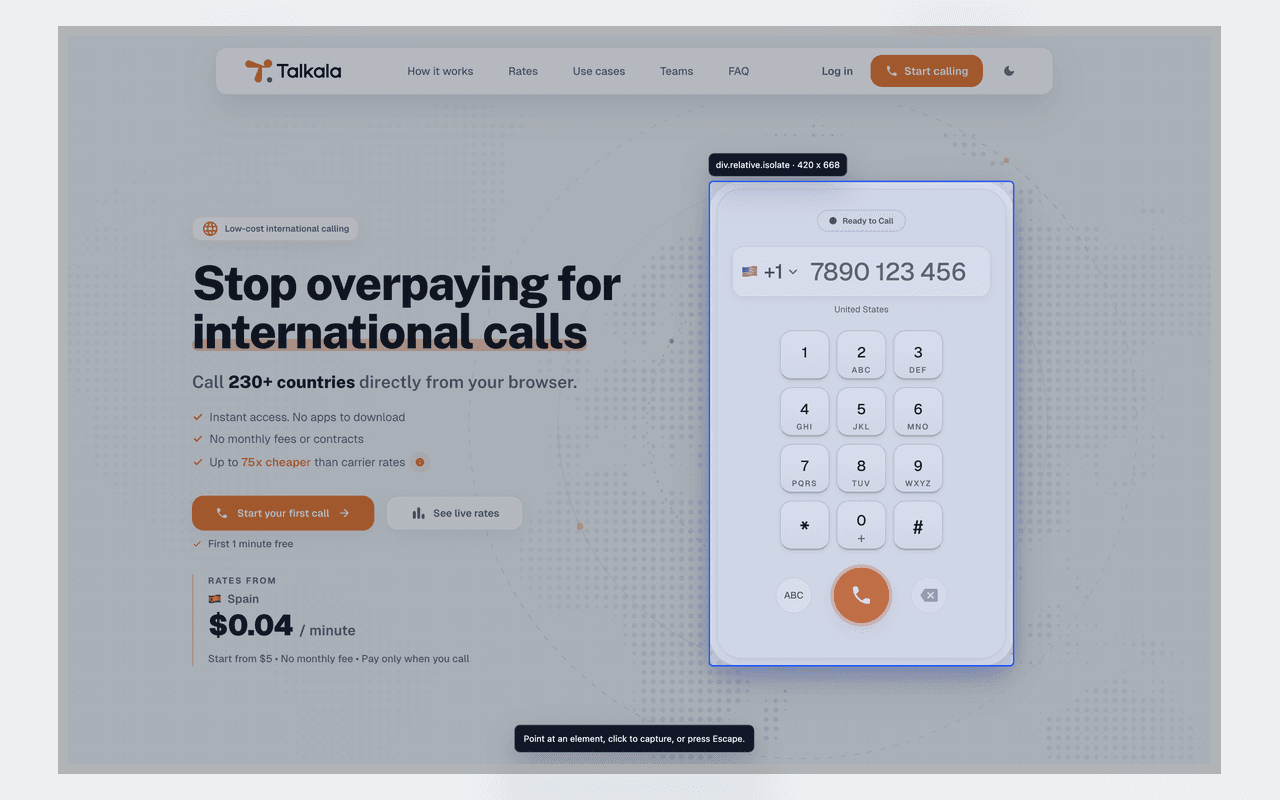
Selection mode shows the exact capture boundary before DOMShot creates an image.
03 / Product decisions
Fast enough for one screenshot, controllable enough to reuse.
Preview before saving
The editor shows the final composition before the user downloads it.
Local by default
Website content is handled in the browser for the requested capture and is not uploaded to a DOMShot server.
Transparent when possible
The capture path preserves transparency and has explicit fallbacks when a page cannot be rendered cleanly.
One capture path
The extension, Node API, CLI, and MCP server share the same capture logic.
04 / Behind the scenes
The extension, CLI, and MCP server.
DOMShot is one product with three closely related ways to use it: a Chrome extension for people, a Node and CLI surface for scripts, and an MCP server for agents.
Extension
Manifest V3 capture
Selection overlay, browser rendering, recent capture state, and the editor handoff.
Editor
Purpose-built composition
Presets and direct controls for the decisions that matter to a shareable image.
Agent package
Node, CLI, and MCP
Repeatable capture workflows for scripts, coding agents, and local automation.
Public surface
Website and documentation
A clear entry point for installation, examples, privacy, and support.
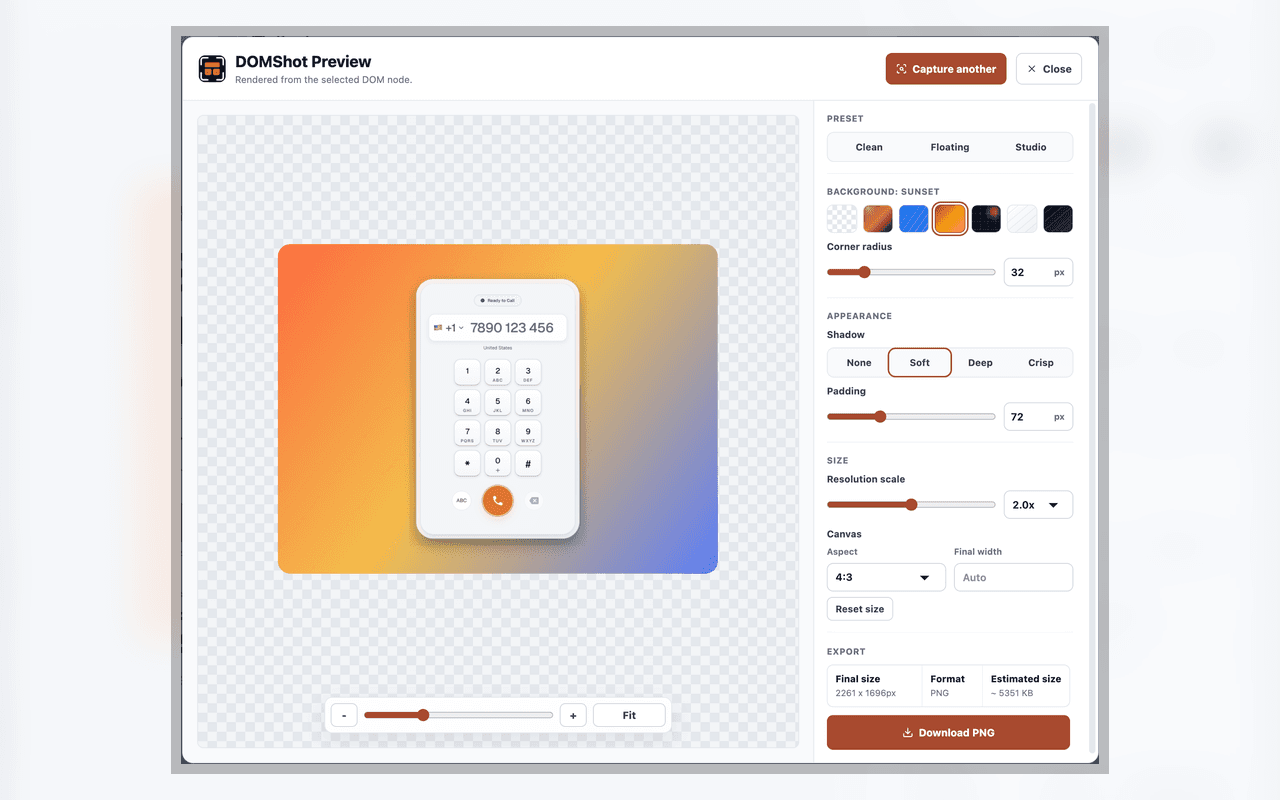
The preview matches the PNG that will be downloaded.
The extension, CLI, and MCP server use the same capture logic.
What has been difficult
The web is not a clean canvas
Elements can contain transparent pixels, nested styles, unusual fonts, or page behavior that does not survive a naive crop.
Power can become clutter
An image editor can grow endlessly. DOMShot needs enough control to be useful without turning a quick capture into a design session.
Failed captures must look failed
The CLI and MCP tools need clear errors, fallbacks, and saved output so a failed capture cannot look successful.
05 / What I’ve learned
What makes a small developer tool trustworthy.
People trust a narrow tool when each state makes the next step obvious.
Keeping the capture local improves privacy and makes the product simpler.
The automation works best when it follows the same steps people already trust in the extension.
06 / Where it is now
Today
The extension is live; the agent tools are still being tested.
The Chrome extension and public website are live. The Node API, CLI, and MCP server work locally and are still being tested as one connected package.
Next
- Keep tightening difficult capture cases and transparent-rendering fallbacks.
- Expand the agent package without making the basic browser workflow heavier.
- Improve examples and documentation around repeatable interface capture.